


Create Cinematic Videos with Kling 3.0
Explore what you can create with Kling 3.0 AI video generator
Turn Your Ideas into Cinematic Videos
Describe your scene in plain English. Add camera directions, lighting, mood — Kling 3.0 understands it all. Type what you imagine and watch your vision come to life in stunning 4K quality.
Bring Any Photo to Life
Upload a photo, poster, or product image. Tell Kling 3.0 how you want it to move. The AI animates your still image while preserving its style and composition. Perfect for turning existing assets into engaging videos.

Control Your Story from Start to Finish
New in Kling 3.0: Set exactly where your video starts and ends. Define your opening shot and closing composition. The AI generates smooth motion between them — giving you director-level control.
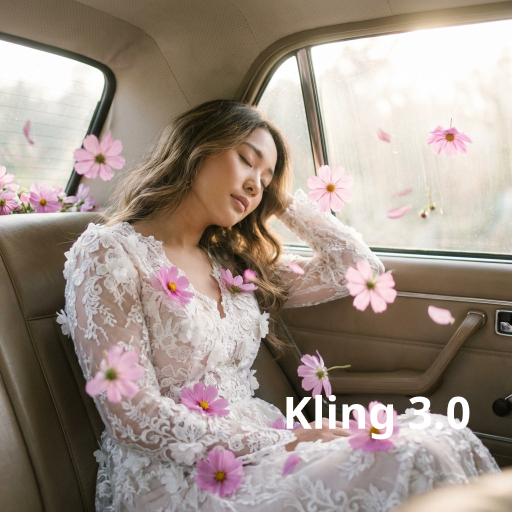
Create Stunning 4K Videos with Kling 3.0
Your videos look crystal-clear and professional with Kling 3.0. Every frame is rendered in native 4K resolution with smooth 60fps motion. Every detail pops — from subtle facial expressions to flowing fabric. Kling 3.0 delivers results that look like they came from a professional film set, not an AI tool. No expensive equipment or editing software needed.
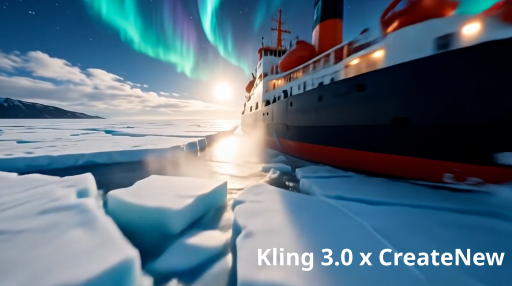
No More Manual Audio Sync
Forget separate audio editing. Kling 3.0 generates video and audio together in one run. Dialogue, ambient sounds, and sound effects all sync perfectly with the visuals. Characters speak naturally with accurate lip movements in multiple languages including English, Chinese, Japanese, Korean, and Spanish. The AI handles everything — you just hit generate.

Direct Complex Scenes Like a Pro
Create videos with multiple camera angles and scene transitions using Kling 3.0 Omni's multi-shot storyboard. Want perfect character consistency? Upload a reference video — the AI picks up movement and voice from your clip. Plan up to 6 custom shots with full control over each. Same face, same style, every frame.
Who Uses Kling 3.0
Content Creators
Turn your creative ideas into scroll-stopping videos. With Kling 3.0, just describe your scene or upload an image, and get a cinematic video in seconds. Create TikToks, Reels, and YouTube content without expensive gear or editing skills.
Marketers & Advertisers
Need professional video ads fast? Kling 3.0 delivers cinema-quality product demos, brand videos, and promotional content. Create multiple variations, test what works, and launch campaigns faster than ever.
Filmmakers & Storytellers
Pre-visualize your scripts, create concept videos, or produce short films. Kling 3.0's multi-shot storyboarding and character consistency make it perfect for serious storytelling. Direct complex scenes without a crew.
How to Create Videos with Kling 3.0
Generate cinematic AI videos in three simple steps.
Describe Your Idea
Enter a text prompt describing your scene. Include details like camera movement, lighting, and mood. Or upload a reference image you want to animate.
Click Generate
Kling 3.0 creates your video with motion, audio, and effects in one generation. The AI handles everything — visuals, sound, and sync.
Preview and Download
Watch your video instantly. Happy with it? Download in 4K quality. Want changes? Refine your prompt and generate again.
Frequently Asked Questions
What is Kling 3.0?
Kling 3.0 is the latest AI video generator from Kling AI, now with an Omni tier for power users. Both create 15-second 4K videos with native audio sync. Omni goes further — upload a video clip and the AI learns your character's movement and voice. You also get custom storyboarding with up to 6 shots.
How is Kling 3.0 different from Kling 2.6?
Kling 3.0 adds start/end frame control, longer 15-second generation, native 4K resolution, and improved character consistency. It also introduces multi-shot storyboarding and intelligent in-video editing — features not available in Kling 2.6.
What can I create with Kling 3.0?
Kling 3.0 works great for cinematic short films, product demos, social media content, ads, music videos, and storytelling. Any scene you can describe, Kling 3.0 can generate.
Does Kling 3.0 generate audio?
Yes. Kling 3.0 creates synchronized audio including dialogue, ambient sounds, and effects. Lip sync is natural and supports multiple languages including English, Chinese, Japanese, Korean, and Spanish.
Is Kling 3.0 free to use?
Yes. You can try Kling 3.0 for free on CreateNew AI. Generate cinematic AI videos without a credit card.
What video length can I generate?
Kling 3.0 generates videos up to 15 seconds in a single run — 50% longer than previous versions. You can extend videos up to 3 minutes while maintaining narrative consistency.
What is start/end frame control?
A new feature in Kling 3.0 that lets you define exactly where your video starts and ends. Set your opening shot and closing composition, and the AI generates smooth motion between them.